For developers
Build with DocoMatic: what works today
There is no customer API with keys yet.
Today you can read our public accessibility data without an account and push documents into your workspace with a signed webhook.
If you need more, join the waitlist and tell us what you would build.
What exists today
- Public data endpoints
- Live
- No key, no account. Deadlines and entity statistics as JSON.
- Signed webhook ingest
- Live
- Push a file or a public URL into your workspace, signed per connection.
- API keys
- Upload only
- For the watch-folder agent. One key uploads into one connection and can do nothing else.
- Customer API: jobs, status, reports
- Waitlist
- Not built. No date.
Where things stand
Where the API stands
Updated September 18, 2026
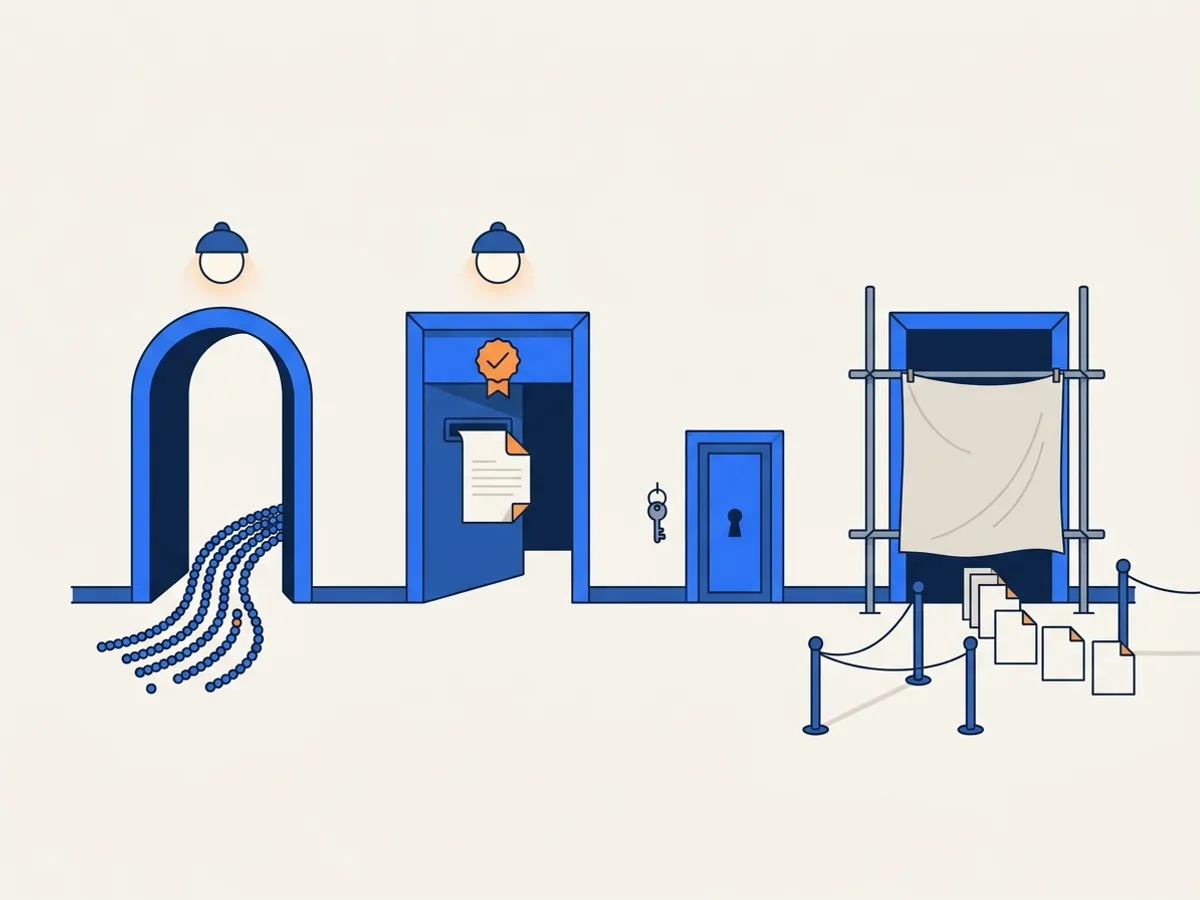
A full customer API — versioned endpoints for submitting documents and fetching reports, scoped keys, a sandbox and outbound event webhooks — is not available in DocoMatic today. We are not publishing a date for it.
The API keys in your workspace settings are not that API. One key lets the DocoMatic watch-folder agent upload documents into one watch-folder connection, and nothing else: it cannot read your documents, change settings or spend credits on anything but the uploads it makes.
DocoMatic does not call your systems. Nothing notifies your URL when a document finishes; you read status in the app.
What you can use now is below: public data endpoints, and signed webhook ingest, one of our live integrations. To test a single PDF by hand, use the free accessibility checker. Both are part of the document accessibility platform.
Public data · no key
Public data endpoints
Read-only JSON with no key and no account, served from this website. Use it to cite deadlines or to show a public entity's document statistics.
GET /api/public/deadlines.jsonAccessibility compliance deadlines for the US, Canada and the EU, each with its primary-source URL.# Accessibility deadline catalog (US, Canada, EU), each entry
# with its primary-source URL. No key, no account, CORS enabled.
curl https://www.docomatic.ai/api/public/deadlines.jsonThe cohortKey and labelKey fields name our own translation strings, not readable labels. Build on regulation, jurisdiction and date, and follow sourceUrl for the wording of the rule. One entry of 7 is shown.
{
  "version": 1,
  "generatedAt": "2026-09-18T00:00:00.000Z",
  "source": "fixtures",
  "canonical": "https://www.docomatic.ai/api/public/deadlines.json",
  "deadlines": [
    {
      "id": "ada-title-ii-large",
      "jurisdiction": "US",
      "regulation": "ada-title-ii",
      "cohortKey": "deadlines.cohorts.adaTitleIiLarge",
      "date": "2027-04-26",
      "sourceUrl": "https://www.federalregister.gov/documents/2026/04/20/2026-07663/extension-of-compliance-dates-for-nondiscrimination-on-the-basis-of-disability-accessibility-of-web",
      "sourceCitation": "91 FR 20902 (April 20, 2026), amending 28 CFR 35.200(b)",
      "originalRuleUrl": "https://www.federalregister.gov/documents/2024/04/24/2024-07758/nondiscrimination-on-the-basis-of-disability-accessibility-of-web-information-and-services-of-state",
      "originalRuleCitation": "89 FR 31320 (April 24, 2024)",
      "labelKey": "deadlines.labels.adaTitleIiLarge"
    }
  ]
}
GET /api/public/entity/{id-or-slug}.jsonOne public entity's registry record and its latest crawl statistics, by slug or ID. Unknown entities return a JSON 404.# One public entity's registry row and its latest crawl
# statistics. Slug or UUID; the .json suffix is required.
curl https://www.docomatic.ai/api/public/entity/fresno-unified-school-district.jsonCounts come from the crawl behind document monitoring: what was found on the entity's own website, by format and by category, plus a sampled pass rate. Fields not shown here are omitted, not hidden.
{
  "error": "entity not found",
  "id": "no-such-entity.json"
}{
"version": 1,
"generatedAt": "2026-09-18T00:00:00.000Z",
"source": "fixtures",
"canonical": "https://www.docomatic.ai/api/public/entity/e4420e3f-7595-4c6a-ac6f-383717e56ad4.json",
"page": "https://www.docomatic.ai/deadline/us/ca/school-district/fresno-unified-school-district",
"entity": {
"id": "e4420e3f-7595-4c6a-ac6f-383717e56ad4",
"name": "Fresno Unified School District",
"slug": "fresno-unified-school-district",
"state": "CA",
"entityType": "school-district",
"population": 402208,
"deadlineCohort": "2027",
"officialWebsite": "https://www.fresnounified.org",
"status": "published",
"documentsFound": 0,
"byFormat": {
"pdf": 0,
"docx": 0,
"pptx": 0,
"xlsx": 0
},
"estimatedPages": 0,
"sampledCount": 0,
"samplePassRate": 0,
"lastCrawledAt": null
}
}Responses are JSON and allow cross-origin requests. The fields can change while these endpoints are young, so read only the fields you need.
Responses are cached for five minutes in the browser and up to an hour at the edge, so polling more often than that returns the same bytes.
Using the data
Using the public deadline data
deadlines.json is free, keyless and CORS-enabled, and every entry carries its primary-source URL. Use it on an intranet page, in a compliance dashboard or in a consultancy's client portal.
- What we ask
- Cite the primary source, not us. The value is that each deadline links to the regulation it comes from. If you attribute it to DocoMatic, link back to this page so people can check it themselves.
- What we do not promise
- That it is legally complete for your jurisdiction. It is a catalogue with sources attached, maintained because we needed it ourselves. Your counsel makes the determination.
Not legal advice. DocoMatic publishes this data as general information for accessibility, records and IT teams. For decisions about your entity's obligations, rely on the primary sources linked in each entry and consult your attorney.
Body → HMAC → header → POST
Signed webhook ingest
Push documents into your workspace from your own systems. Create a Webhook / API connection on the app's Integrations screen to get a connection ID and a signing secret; the secret is shown once. The same screen shows the full ingest endpoint URL, which the samples call DOCOMATIC_INGEST_URL.
POST /connectors/ingestSend one file per request (PDF, PNG or JPEG), or a JSON body with a public file URL.Sign every request with an HMAC-SHA256 of the raw request body, keyed with the connection secret, and send it in the X-Docomatic-Signature header as sha256= followed by the hex digest. A file that already arrived is recognized by its fingerprint and not imported twice. If the connection has remediate-on-ingest turned on, each new document is remediated at the level you chose.
# Connection id, signing secret and the ingest URL (ending in
# /connectors/ingest) come from the Integrations screen when
# you create a "Webhook / API" connection. The secret is shown once.
FILE=board-packet-2026-09.pdf

# HMAC-SHA256 of the exact bytes you will send, as hex.
SIG="sha256=$(openssl dgst -sha256 -hmac "$DOCOMATIC_SECRET" "$FILE" | sed 's/^.*= //')"# Push the file itself. Accepted content types:
# application/pdf, image/png, image/jpeg.
# X-Source-Id is optional: a stable id of your own, so a
# changed file replaces the earlier version instead of
# becoming a second document.
curl -X POST "$DOCOMATIC_INGEST_URL" \
-H "X-Docomatic-Connection: $DOCOMATIC_CONNECTION_ID" \
-H "X-Docomatic-Signature: $SIG" \
-H "X-File-Name: $FILE" \
-H "X-Source-Id: board-packet-2026-09" \
-H "Content-Type: application/pdf" \
--data-binary "@$FILE"# Or hand us a public URL instead of the bytes. The signature
# covers the raw JSON body, not the file. Private and link-local
# hosts are refused.
printf '%s' '{"url":"https://example.gov/agendas/2026-09.pdf"}' > body.json
SIG="sha256=$(openssl dgst -sha256 -hmac "$DOCOMATIC_SECRET" body.json | sed 's/^.*= //')"
curl -X POST "$DOCOMATIC_INGEST_URL" \
-H "X-Docomatic-Connection: $DOCOMATIC_CONNECTION_ID" \
-H "X-Docomatic-Signature: $SIG" \
-H "Content-Type: application/json" \
--data-binary "@body.json"Sign the JSON body instead of the file.
What a successful call returns
{
  "outcome": "ingested",
  "documentId": "a551abb2-e141-4db9-aa84-3933abe8b4eb",
  "versionId": "63c06fc2-67c2-42bc-af56-a78178fc4551",
  "versionNo": 1,
  "sha256": "7d5371d3d9d5588cdb4c7851773488380aa8e9644001ad32ba5dad8084272746",
  "syncId": "d8aadb2f-4dfe-4761-9e23-4cd6e1add414"
}
outcome is one of three values:
ingested— a new document was created and sent through the pipeline.replaced— you sent a stableX-Source-Idyou had used before with different bytes, so the existing document gained a new version instead of a duplicate.unchanged— byte-identical to a file this connection already ingested. Nothing was imported and nothing is charged; the existingdocumentIdcomes back.
What goes wrong, and how you will know
Every refusal is a 4xx with a JSON body carrying an error code and, usually, a detail sentence. Two answers come from the web server before the request reaches the endpoint and carry statusCode and message instead.
| Status | Error code | Meaning | What to do |
|---|---|---|---|
| 400 | empty_body | The request body was empty. | Send the file bytes, or a JSON body with a url. |
| 400 | missing_file_name | A file was pushed without the X-File-Name header. | Add X-File-Name with the file's name and extension. |
| 400 | invalid_body | The JSON body has no url string, or a field is the wrong shape. | Send a JSON object with a url string; filename and sourceId are optional strings. |
| 400 | url_not_allowed | The URL is not http(s), or points at a private, loopback or link-local host. | Use a publicly resolvable URL. |
| 400 | url_fetch_failed | The URL answered, but not with the file; detail carries the upstream HTTP status. | Check the URL in a browser without being signed in to the source system. |
| 401 | missing_credentials | Neither X-Docomatic-Connection with X-Docomatic-Signature nor an agent token was sent. | Send both headers from the Integrations screen. |
| 401 | invalid_connection | No active Webhook / API connection has that ID; it may have been disconnected. | Check the connection on the Integrations screen. |
| 401 | invalid_signature | The signature did not verify against the raw body. | Sign the exact bytes you send with this connection's secret, and send sha256= plus 64 hex characters. |
| 409 | processing_paused | Your workspace is past due, so new ingestion is paused; a suspended or closed workspace answers here too. | Settle the account, then resend. |
| 413 | — | The body is over 100 MB. Refused before the signature is checked. | Split the document, or push a URL instead of the bytes. |
| 415 | unsupported_type | The content type is not PDF, PNG or JPEG. | Convert first; DOCX, PPTX and XLSX are not accepted by ingest today. |
| 500 | — | The URL's host could not be reached at all — DNS failure or no route — and the server did not translate that into a 4xx. | Check that the host resolves from the public internet, then resend. |
Webhook ingest only brings documents in. Status, reports and remediated files are available in the DocoMatic app — there is no API to read them yet.
Honest about the limits
Limits and versioning
- Public data endpoints
- No key, no account, CORS enabled. There is no published rate limit on them today; they are cached JSON, so polling faster than the five-minute cache returns the same bytes. Each response carries a
versionfield, currently 1. The fields can change while these endpoints are young, so read only the fields you need. When they stabilize we will version them and say so here. - Webhook ingest
- One file per request, and a body of at most 100 MB; a larger body is refused with a 413 before the signature is read. There is no published rate limit on signed ingest today and no per-connection quota. Signed-in app traffic is limited to 600 requests a minute per workspace, which our staff can raise; that limit does not count ingest pushes.
- Breaking changes
- There is no formal deprecation policy yet. This page is the changelog: when a field or a status code changes, the entry and its date go here, and the date at the top of the page moves.
- OpenAPI
- There is no OpenAPI document written for customers. The API's own machine-generated reference is linked from the Integrations screen once you have a webhook connection; it describes the whole platform, including routes you cannot call, so treat this page as the reference for what you can use.
The waitlist
Join the developer API waitlist
Leave your work email and we will contact you when a customer API is ready to try. Joining adds you to a list we keep by hand: there is no automated reply, no beta program and no date.
Buying for a larger organization?
Book a 20-minute demo(opens in new tab)Per page, in credits
Pricing
The public data endpoints are free. Documents that arrive by webhook are billed like manual uploads — credits per page by level, only when they are remediated and only for verified output. If you remediate for clients, see DocoMatic for agencies and consultants.
You are not charged for a document that fails verification. How the no-charge rule works.
Card payment opens with our billing launch. Today, plans and credits are arranged by quote and paid by purchase order.
Is there a DocoMatic API I can use today?
How do I authenticate?
Is there a sandbox?
When will a full API be available?
Where is the documentation?
What does the ingest endpoint return?
What are the rate limits?
Is there an OpenAPI spec?
Can I read reports or job status programmatically?
What comes next
Want more than ingest?
Join the waitlist and tell us what you would build, or connect a source today on the integrations page — part of the document accessibility platform.